AnalogRhythmKing
Support
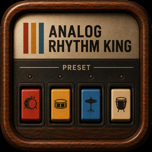
AnalogRhythmKing is a standalone rhythm instrument for iPhone and iPad. It generates percussion in real time with circuit-inspired synthesis and uses no prerecorded drum samples.
Quick Start
- Tap one or more rhythm switches. Multiple rhythms can be combined intentionally.
- Tap START to begin playback.
- Adjust Tempo, Volume, and Balance below the rhythm bank.
- Hold FILL for a momentary variation; release it to return to the main groove.
Controls
Tempo · Volume · Low/High Balance · Start/Stop · Momentary Fill
18 Preset Rhythms
LATIN
Bossa Nova · Samba · Bolero · Rumba · Cha Cha · Mambo · Tango
AMERICAN
Slow Fox · Slow Rock · Swing I · Swing II · Dixie · Shuffle · Go Go · Swing Waltz
TRADITIONAL
Waltz · March Polka · Western
Frequently Asked Questions
I cannot hear any sound.
Select at least one rhythm, tap START, and check both the in-app Volume control and the device volume. If an audio interface was disconnected, wait briefly for iOS to return to the built-in output, then tap START again if needed.
Can I combine rhythms?
Yes. Selected switches remain latched and are combined by the audio engine. Duplicate hits at the same instant are merged intentionally.
Does audio continue in the background?
Yes. Background playback is a core feature. Use STOP before leaving the app when you do not want playback to continue.
Is an AUv3 plug-in included?
No. Version 1.0 is a standalone iPhone and iPad app. AUv3 host integration is planned for a later release.
Requirements
iOS or iPadOS 17.0 or later. The app is designed for landscape use. No account, network connection, or external hardware is required.
Contact
For support, email hirose@hakaru.net